SEC. 01 — BLUPRNTR / INTERACTIVE FLOORPLANS

Drawings your clients can read.Drawings your clients can read.

Architects publish a project as an interactive floorplan instead of a folder of PDFs. The people they invite tap any room to see its size, materials and renders, on a phone or a computer.
< 10 MIN
To publish a project
1 VIEW
Same for everyone invited
ALWAYS
The latest published version
PLAN 01 / GROUND FLOOR / 1:100
TAP A ROOM TO OPEN ITS DATA SHEET
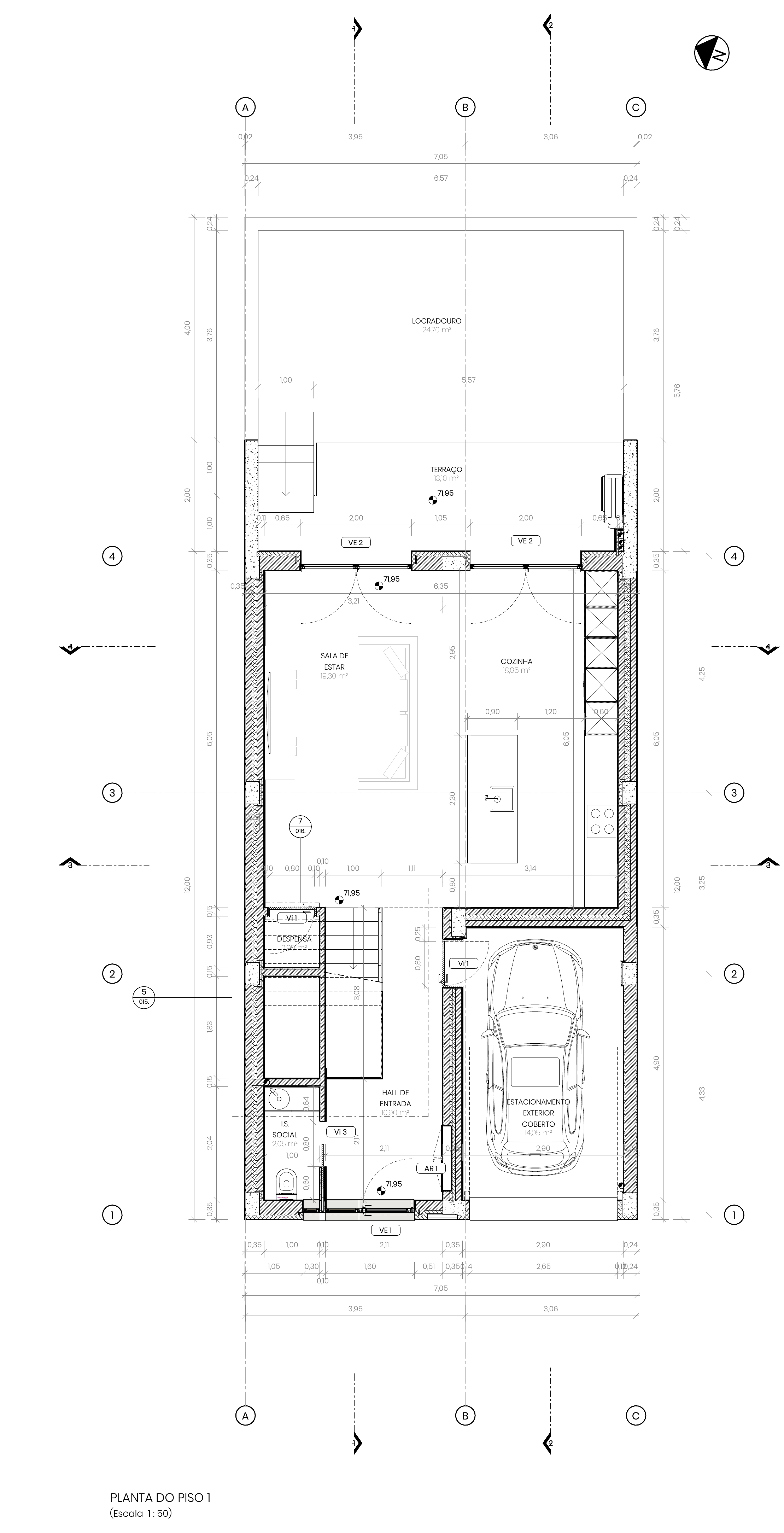
Ground floor plan of the house with the kitchen highlighted
KITCHEN18.4 M²
CEILING H.2.60 m
FLOOROak parquet
WALLSPainted plaster
SEC. 02 — WHAT IT DOES
3 MODULES

Every room, one tap away.

The architect uploads the drawings, marks the rooms and adds the materials. Everyone invited explores the same project.

F-01 / INTERACTIVE FLOORPLANS

Tap the plan, see the room.

Move between floors, tap any room to open its data sheet, and see the render of that space next to the plan.
PLAN 01 / GROUND FLOOR / 1:100
TAP A ROOM TO OPEN ITS DATA SHEET
GROUND FLOOR — ROOMS1:100
LIVING
28.4 m²
KITCHEN
18.4 m² — selected
BATH
6.1 m²
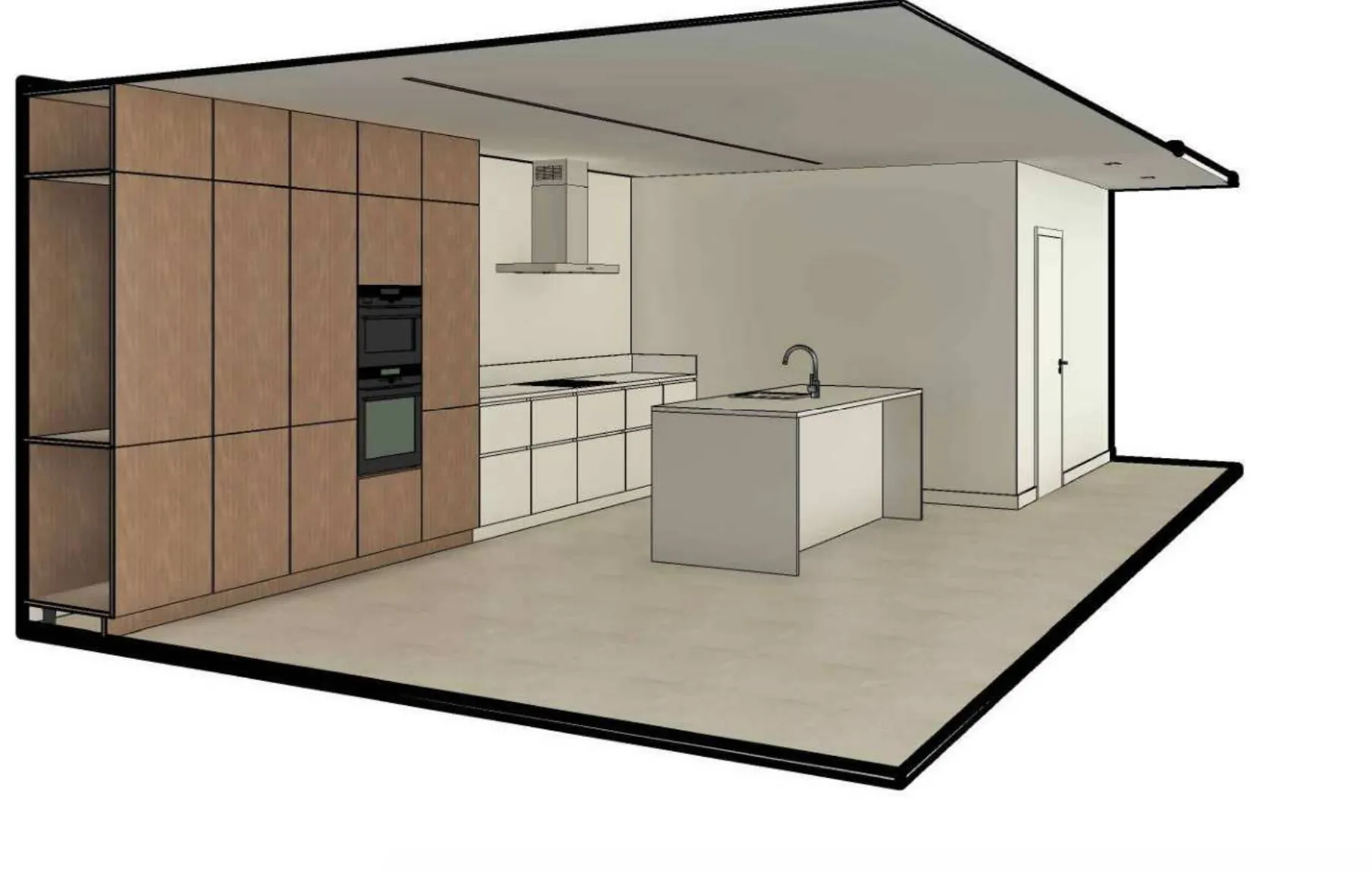
FIG. 01 · KITCHEN — RENDERSOURCE: RENDER-03
3D perspective drawing of the kitchen: full-height oak cabinets on the left, a hood over the hob and a central island

F-02 / ROOM DATA SHEETS

Area and materials, room by room.

Each room shows its area and the materials the architect chose for it, in one sheet.

ROOM DATA — KITCHENR-02
AREA
18.4 m²
FLOOR
Oak parquet, matt lacquer
WALLS
Painted plaster, RAL 9010
CEILING
H = 2.60 m, plasterboard
JOINERY
Lacquered MDF, brushed steel pulls

ADDED BY THE ARCHITECT

F-03 / ANY DEVICE

On a phone or a computer.

Invited people open the link in their email invitation, in the browser. There is nothing to install.

OPENED FROM AN EMAIL INVITE
NOTHING TO INSTALL
Ground floor plan of the house as it opens in the browser
SEC. 03 — HOW PUBLISHING WORKS4 STEPS / < 10 MIN

Published in under ten minutes.

01UPLOAD

Upload the drawings

Add floor plans, renders and material choices, by category.

02MARK

Mark the rooms

Mark the rooms on each floor plan.

03MATERIALS

Add the materials

Fill in the materials for each room.

04INVITE

Invite by email

Homeowners, buyers and builders get an email invitation.

※Publishing a change to a live project also takes under ten minutes.
SEC. 04 — PRIVATE BY DEFAULTINVITE-ONLY

Only the people you invite.

Projects are private by default. Nothing is public or indexed, and each invited person sees only the projects they were invited to. Your drawings stay yours.

PROJECT ACCESS
WHO SEES IT
Only the people you invite
SEARCH ENGINES
Not public, not indexed
INVITED PEOPLE
View only: no edits or comments
SEC. 05 — WHO IT'S FOR4 PROFILES / 1 PROJECT

One project. Everyone involved reads it.

01ARCHITECTS

Publish once, explain less

Drawings, rooms and materials in one place, so meetings are about decisions, not decoding drawings.

02HOMEOWNERS

Understand your future home

Walk the plan room by room and see what you are putting your trust and savings into.

03BUYERS

See the home you're buying

Move between floors and open each room's area, materials and renders on your own.

04BUILDERS

The same project, on site

Open rooms and materials from a phone, exactly as the architect published them.

SEC. 06 — FROM PDFS TO ONE PROJECTPORTUGAL · PT / EN

From a folder of PDFs to one project.

Plans, renders and material schedules stop arriving as separate PDFs by email. Clients explore one project on their own, and the conversation with the architect is about decisions.